Use your photos as the ultimate screensaver
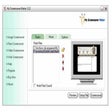
Endless Slideshow Screensaver is really two programs in one and allows you to make the best of your photos while you are away from your PC.
Top Recommended Alternative

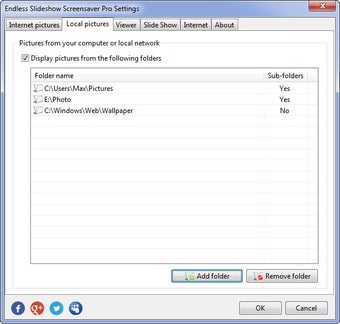
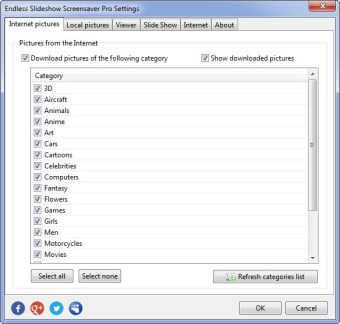
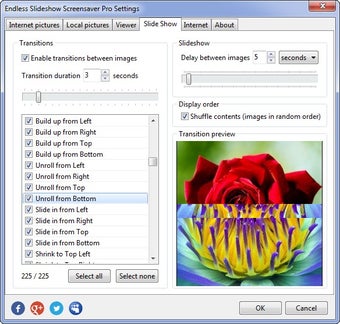
Firstly, Endless Slideshow Screensaver allows you to display your photos or any other pictures from local or network folders in a slideshow mode with lots of cool transition effects, customizable delays between pictures, and a few other basic tweaks. Endless Slideshow Screensaver secondly can automatically download your desktop wallpapers from the Internet and display them in a slideshow along with your pictures. Simply select the kind of wallpapers you want to see on Endless Slideshow Screensaver and the program does the rest. The choices are rather generic and a bit cliched such as Nature, Animals, Animation, Cars etc but it does refresh regularly although after a while, you'll inevitably see the same old pictures repeated over and over. You can refresh pictures in Endless Slideshow Screensaver by pressing a key at any time although the problem with this is that if Endless Slideshow Screensaver is in screensaver mode, pressing a key wakes the computer from its sleep and could end up abruptly ending your slideshow presentation.
With support for all major picture formats (JPG, PNG, GIF, BMP) and automatic downloading of pictures, you can be sure that Endless Screenshow Screensaver will provide hours of screen saving entertainment.
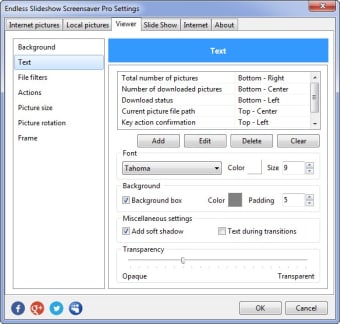
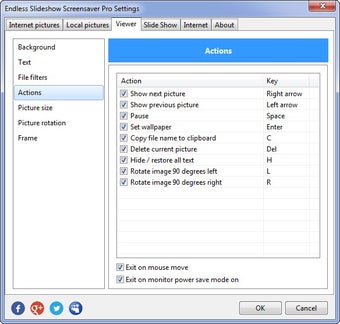
Added a possibility to delete a picture that is currently shown with a single key press Minor fixes and improvements Improved multi-monitor systems support. Now different monitors show different images. Sub-folders of selected local or network folders are included automatically now if users chooses so. Added a possibility to turn off the screensaver when monitor is going to power-save mode. Distort images to fill entire screen. Draw frame of chosen size and color around the images. Dramatically improved screensaver start-up speed. Added a possibility to show clock at the bottom status line. Users can now select several categories, not just one. Every time the screensaver starts, a random category is chosen among selected. Screensaver now stores the list of pictures it shown before and shows only new pictures Added slideshow navigation using arrow buttons to view previous or next picture